Construction, agricultural, horticultural, or manufacturing, no matter what industry you’re in electrical equipment will be present. To ensure your electrical equipment is safe and in good condition you should do daily inspections before use and your equipment testing and tagging should be done.
What is testing and tagging?
Testing and tagging is checking the safety of portable electrical appliances that get used in the workplace.
It involves two steps: Visually inspecting the appliance for any noticeable damage,
- cracked casings
- missing or damaged guards
- nicked cables; tape covering nicks or cuts
- dry and brittle insulation
- burn marks or signs of overheating
- RCDs not tripping when tested
And secondly, electrically testing it with a Portable Appliance Tester (PAT). Once tested and approved, a tag is attached with the following information:
- who tested it,
- the test date, and
- when the next test is due.
Why do you need to test and tag?
Testing and tagging helps identify any faults or damage in the equipment that could potentially cause harm to individuals or the workplace. If tested appliances are found to be non-compliant or unsafe, they must be labeled accordingly and withdrawn from use immediately.
Who can complete a testing and tagging?
Anyone with the knowledge, skills, tools, and understanding of the standards involved can conduct testing and tagging. If the testing reveals any issues or something needs fixing then a registered electrical worker will be required.
What type of equipment needs to be tested and tagged?
In short, basically any electrical corded power tool or device. This includes any device or appliance that has a flexible cable, and a removable plug, and also includes both single and three-phase connections. This applies to new equipment before it is used, and also needs to be carried out on second-hand appliances intended for sale.
Keeping you and your workmates safe at work is a priority, so make sure you are aware of the businesses testing and tagging requirements in the workplace.
The HazardCo App site review resource has a list of electrical controls that should be in place to minimise the risk of electrical hazards.
If you have any questions get in touch with the HazardCo Team
Near Misses
According to WorkSafe NZ, a near miss is defined as an incident that occurs but doesn’t lead to injury, illness, or damage.
No matter what working environment you are in, work sites nationwide have near misses every day. On-site, a near miss could be tripping over stacked material, it could be dropping the hammer off the scaffold onto the ground or backing the truck and narrowly missing the boss’s ute. While these seem fairly innocent, they could have been more serious.
Like other incidents, these near misses need to be recorded and reported as soon as they occur. Once they have been, you can look into what caused the near-miss and put steps in place to avoid it turning into something more serious.
Reporting near misses
Near misses should be considered the same as an incident. But often they aren’t.
We often find that near misses are very rarely reported, and actually brushed off. Near misses are just as dangerous as actual incidents. If you’ve had a near miss, you might have got lucky but someone else might not. Treat near misses as a free learning tool to put controls in place to prevent more serious incidents from occurring.
By encouraging near miss reporting, you can start to see patterns and gain valuable insights on where to best focus resources into safety.
Reporting all near misses and incidents on-site, is all about helping to prevent harm. Everyone on-site has a right to know of potential threats that may impact them, and everyone plays a role in keeping everyone safe on-site.
Getting everyone to report near misses and incidents creates a culture of open, honest discussions about health and safety.
Encourage reporting and recording
Best practice is that all incidents, whether they cause injury or not, need to be reported and added to your incident register.
The more reporting you have, the more data is available for those in a position to influence change, as it can help them to see areas that require improvement or to see how effective implemented controls have been.
Encouraging the reporting of these incidents is simple with the HazardCo App:
- Everything is completed digitally on your team’s phone and the process is simple and easy to follow.
- With remote reporting in the mobile App, your team no longer has to wait until they get home or to the office to report the incident. They can quickly do it while it’s still fresh.
- Encourages conversation – with the App you can easily record and quickly pull up all incidents through the HazardCo Hub and discuss them in toolbox meetings.
- All incidents are added to your digital incident register which is easily accessible from the HazardCo Hub whenever you need to revisit.
No matter how big or small, report all near misses and incidents so you can all learn from them. Using the Report Incident feature on your HazardCo App, fill out the fields to capture what happened. Your reported incident will be added to your incident register in the Hub, and HazardCo retains this for as long as you’re a member.
Ensure you take incidents and near misses seriously and investigate them. Investigations help you work out the root cause so you can put corrective actions in place to prevent a recurrence.
We all dread an incident occurring, but if anything serious happens on your site it’s important you are prepared, remain calm, and do the right thing. When in doubt, call HazardCo – we are here to support the health and safety needs of all HazardCo members 24/7. If you’d like to learn more about the App and the Reporting Incident tool take a look at our short demo videos
When risks and hazards are recognised early, controls can be put in place to prevent harm to workers, visitors, and the public.
Reporting and controlling hazards/risks is a way of being proactive and helping create a safe environment for everyone to work in.
A key part of the Health & Safety at Work Act 2015 (HSWA) and regulations is the need to both identify these hazards, and then manage the risks involved so they are either removed or controlled correctly. Creating a Task in the HazardCo App to report the hazard is a simple and effective way to manage this responsibility.
There are always going to be hazards and risks on construction sites; they are dynamic places. Identifying the hazards that could cause serious injury or harm to both workers’ health and safety helps manage risk as the project moves along and helps those who manage the jobs plan for them better in the future.
For example:
The concrete pumping truck has a blockage on-site, and the team decides to try and rectify the blockage whilst other workers are in close proximity. Joe is aware of the hazards and risks of clearing blockages under high pressure, and that someone could get seriously injured if things go wrong. He recommends that the concrete pumping team stop and do it away from other workers in a safe location. Because no incident or near miss occurred of anyone getting or nearly getting hurt, Joe logs this hazard as a Task in the HazardCo App.
The company reviews all the tasks that have been logged for the project and sees Joe’s reported hazard. With new knowledge of the dangers involved and the controls used to manage the risks of concrete truck blockages. The company decides to use those controls on all sites going forward.
Hazard reporting is an effective and ongoing way for workers to raise concerns or suggest improvements on a day-to-day basis, whilst also helping PCBU’s meet the worker engagement and participation duty under the Act.
How hazards differ from near misses:
Hazard: something could occur.
Near Miss: something did occur but there was no harm caused.
Hazard example:
Joe notices an extension cable has been badly damaged and is still plugged in. He turns off the power and removes the cable from services and logs it as a Task in the HazardCo App before someone could get hurt.
Reporting hazards as a Task in the HazardCo App helps with:
- being proactive by controlling risk before it turns into an incident
- getting workers involved in managing site safety
- identifying and reporting hazards when completing risk assessments and site reviews on-site bringing attention to the hazards that need addressing by assigning action and priority to the right team member, and then being able to track progress until the hazard is sorted
Near miss example:
Joe sees a fellow worker about to roll up a badly damaged extension cord whilst it is still plugged in, he immediately stops the worker before he could have got hurt. Turns off the power and removes the cable from service and logs a near miss as an Incident in the HazardCo App.
Reporting a near miss helps with:
- recording incidents that nearly or could have caused harm
- shows how well or not controls are working
- identifying if too many similar near misses are happening which could indicate that you have an issue that needs controlling
If you have any questions get in touch with the HazardCo Team
With every new contractor you bring on board, remember to tick these boxes to make sure they are going to hit the ground running when it comes to health and safety on-site. It’s your responsibility as the main contractor to make sure these checks and balances are in place.
Pre-qualify the contracting company once a year
- Insurance (public liability)
- A policy and procedures document and evidence they follow good processes
There are lots of different ways you can check their health and safety processes. A policy is a good place to start, as well as examples of what they will do on-site if they have an incident and how they will record toolbox talks. You should also ask for an example SWMS for any high-risk work they will do.
Induction of the new contractor
- Trade qualifications and experience
We recommend checking these items before they come on-site so you don’t forget. Tip: Ask for a photograph of the items for your records.
On-site induction of the worker
- Have they read and agreed to the site-specific safety plan?
- Have they been made aware of any hazards on-site?
- Are they bringing any hazards on-site?
The on-site induction is your opportunity to set expectations of how you expect the contractor to participate in risk identification and management. New workers are at a greater risk of injuring themself than your existing crew so a good induction is vital in avoiding injuries and downtime.
Stay on top of these checks with an automated system
Find out more about HazardCo’s Pre-Qualification solution here
There are a lot of things to keep in mind when setting up H&S on your construction site that it can seem overwhelming. Use this guide as a tool to understand what you need to do from start to end of your build.
Contractor management
Your obligations as the main contractor are pretty straightforward. First, you need to make sure contractors have the right skills and experience to do the job, and second, you need to make sure they are going to carry out the work safely. Once they are on board, you also need to monitor if the contractor is following good health and safety practices on-site.
Collecting evidence of this process is important so we recommend putting a system in place so nothing falls through the cracks.
To understand how your contractors manage their Health and Safety it’s important that you talk to your contractors and check that they can show a commitment to keeping workers and visitors safe. This can be demonstrated through clear procedures outlined in their Health and Safety documents, as well as evidence of risk assessments, monitoring work activities, emergency management etc.
The following areas should be included in their Health and Safety Procedures:
- Hazards and risks
- Training and competency
- Emergencies and accidents
- Hazardous substances
- Health monitoring
- Sharing information with workers
- Plant, machinery, and equipment
When you’ve got a lot of contractors coming and going, it can turn into a bit of a headache trying to stay on top of checking all these documents. We’ve created a simple, automated system to nail the pre-qualification of your contractors before you begin working with them, to reduce the risk to your business.
Find out more about HazardCo’s Pre-Qualification Tools here
Setting Up H&S for your build
When you start a new build, it is important that health and safety is considered and communicated with everyone coming onto site. If this is created at the beginning of your build, and clear direction is provided and shared, it helps to create and foster a good safety culture on-site. With HazardCo it’s easy to set up your site by creating a project in the Hub, all you need to do is:
- Provide specific site address details
- Add in general information about the project
- Identify the emergency procedures that will be put in place on-site
- Identify the site hazards and controls that will be used to manage the risks
- Choose the contractors that you will be using for the project
- The SSSP will be sent automatically to those involved and will advise them to use the site-specific QR code to complete a Site Induction when they arrive on-site and scan in/out each day.
We recommend that before the project starts, you should think about setting up site fencing, emergency equipment, toilets, handwashing facilities. Make sure that you set up your HazardCo Hazard Board with the site-specific QR code at the entrance of the build.
During your build
- Update the HazardCo Hazard Board with any new hazards on-site, and encourage contractors to do the same too
- Use the site-specific QR Code on the HazardCo Hazard Board to get your workers to complete a digital site induction when they arrive on-site for the first time and scan in/out of site each day . This helps to identify who is on-site, and when
- Workers should complete a Risk Assessment on the HazardCo App prior to starting work to make sure their work area is safe and the risks are being managed
- Monitor works occurring on-site using the Site Review feature on the HazardCo App
- For higher-risk work, use the Task Analysis feature in the HazardCo App. Ensure everyone involved is consulted during the preparation of the Task Analysis and have read, understood, and will follow the directions provided
- Share and capture what’s happening on-site, and upcoming works with workers through the Toolbox Meeting feature on the HazardCo App
- Record incidents on-site using the HazardCo App. Any incident, illness or near-miss can be recorded. Check out the HazardCo Hub for your Incident Register
- Call our expert Advisory team on 0800 555 339 for any health and safety advice
Health and safety evidence
Documentation is a key way of showing that Health and Safety is active on-site and provides evidence in areas like incident investigations and learnings that are shared from these. This can be in either digital or physical format. Use the HazardCo tools on the App and Hub for all your H&S needs.
If you’re not the main contractor on-site
We recommend that you use the HazardCo App and Hub to manage your on-site health and safety. At the beginning of each day, complete a Risk Assessment on the HazardCo App. This will help identify that the work area is safe and ensure that you have the correct controls in place for common construction hazards.
Remember to use the HazardCo App to report any incidents or near misses on your site. This will notify the HazardCo Advisory Team and we will help guide you through the next steps.
During your job
- Complete a Risk Assessment on the HazardCo App prior to starting work to make sure their work area is safe and the risks are being managed
- For high-risk work, make sure that you have read, understood and will follow the directions provided in the Task Analysis completed by the builder
- Share and capture what’s happening on-site through the Toolbox Meeting feature on the HazardCo App
- Record incidents on-site using the HazardCo App. Any accident, incident, illness or near-miss can be recorded.
- Call Advisory anytime on 0800 555 339 for any health and safety advice
The HazardCo Team Pack plus is designed specifically for subcontractors who move around from job to job regularly and aren’t usually in charge of managing larger building projects. The pack is great for managing client or visitor inductions and safety procedures while you’re on the go.
The Team Pack Plus includes:
- A sturdy, water-tight Site box that acts as a portable Hazard Board that can be taken from job to job
- A QR code to keep your client inductions simple and effective
- A 1kg fire extinguisher
- A first-aid kit
- A workbook to help you manage Health and Safety on-site which guides you through inductions, safety procedures, and hazard identification and management
Don’t forget, as part of your membership, you get unlimited access to the HazardCo team.
Phone Support
The support you need from people who know their stuff.
- 24/7 incident support
- Get expert advice from our highly qualified advisory team
- Get full support for your HazardCo system from our customer service team
It’s important to us that you and your crew are kept safe. You know the drill, we’re here to help, so get in touch if there’s anything you need. You can contact us on 0800 555 339 or email info@hazardco.com.
Businesses (PCBUs) that work together will often share health and safety duties in relation to work done. Businesses especially have a legal duty to consult, cooperate with, and coordinate activities with all other businesses they share overlapping duties with.
What does this mean and how can you ensure that people are not harmed, and you are complying with your legal obligations? Here are some expectations:
- Work with designers to reduce risks
- Set clear health and safety expectations and incorporate these into your agreements with contractors
- Ensure contractors have appropriate health and safety procedures in place
- Prepare a Site Safety Plan for the job and share with all workers and contractors
- Establish health and safety reporting requirements with your contractor. A great tool for this is to use the HazardCo App to complete Risk Assessments, Incident Reports and more.
- Ensure site inductions take place. Coordinate and communicate site rules and procedures to everyone who accesses the work site, this can be done via the HazardCo App by scanning the QR code located on your Hazard Board.
- Set up clear requirements for information sharing for the duration of the project
- Ensure that there is effective communication between all parties (e.g. Toolbox Meetings through the HazardCo App)
- Monitor your workers and/or contractors you hire
The following key steps should be followed by Main Contractor:
Scope
- Consider health and safety risks prior to selecting contractors.
- Discuss the project with potential contractors to make sure they are capable.
- Document the process and store in the HazardCo Hub.
Prequalify
- Ensure prospective contractors have effective health and safety procedures in place.
- Keep records of contractors’ prequalification.
- Get peace of mind your contractors are good to go, with an automated system to pre-qualify your contractors, check insurance, trade qualifications and more with HazardCo’s Pre-Qualification Tools. Find out more here, or get in touch with the team to find out if it’s right for you.
Select
- Select the contractors based on prequalification outcome and any other factors including availability, skills etc.
Appoint
- Create a Project in the HazardCo Hub, which creates a Site Specific Safety Plan, Site Pack, QR code and Hazard Board Share the information with contractors.
- Ensure induction expectations are understood by all workers, contractors and visitors.
- Ensure all contractors have reviewed and agreement is reached and documented.
Monitor
- Regular communication regarding health and safety performance (e.g. toolbox meetings, site reviews, site inductions etc.)
- Investigate any incidents and follow up on any outstanding issues.
- Regular review during the assignment (e.g. Site Reviews)
Review
- Post contract review – It’s good practice to review the performance of your contractors at the end of the project. Look at areas of monitoring during the project completed, communication, incidents, improvement, etc
Working along other businesses is a natural part of residential construction. Everyone on-site has a duty to open up the lines of communication and look out for each other.
You can read more about contractor management and overlapping duties here or if you have any questions about working with other businesses on-site, give our expert Advisory Team a call on 0800 555 339.
Even if you are self-employed you still carry the same duties under the legislation as the main contractor.
If a contractor, in turn, engages other businesses then they too must assume some of the responsibility for their work. A contractor is most likely to have the greatest influence and control of their own work activities and workers (or contractors).
There should be a way of recording your planning and the ways in which you share this information. All businesses should have access to information to keep themselves or their workers safe.
Your primary duty remains to prevent harm arising from your work. Identify risks that could arise and share information between relevant parties.
The following key steps should be followed by contractors:
Scope
- Engage with the main contractor to identify risks
- If engaging your own contractors share information relating to risks, safety plans and expectations
Prequalify
- Provide the main contractor with evidence to demonstrate your health and safety procedures eg Task Analysis, Training Registers
- If engaging contractors of your own, prequalify their procedures. Make sure you are happy with how safely they will work.
- Find out more about HazardCo’s Pre-Qualification Tools here, or get in touch with the team to find out if it’s right for you.
Select
- If engaging your own contractors, select them based Select the contractors based on prequalification outcome and any other factors including availability, skills etc.
Appoint
- Complete risk assessments (e.g. Risk Assessment on the HazardCo App, Task Analysis, or other risk management plans).
- Agree on these with your workers and other businesses
Monitor
- Complete Risk Assessments at the start of the day to make the work area is safe to work in
- Hold regular toolbox meeting, so all workers are aware of safety expectations, share this with other contractors on-site where they are affected by your work
- Investigate any incidents and share the findings with the team and the main contractor
Review
- Review health and safety performance with your own workers and contractors
- If engaging contractors, review during the project and post-project review
Working along other businesses is a natural part of residential construction. Everyone on-site has a duty to open up the lines of communication and look out for each other.
You can read more about contractor management and overlapping duties here or if you have any questions about working with other businesses on-site, give our expert Advisory Team a call on 0800 555 339.
Health and safety issues arise from a worker raising concern about health and safety at the workplace and that concern remains unresolved after consultation with the worker/s and the PCBU (Employer), it then becomes a health and safety issue.
For example, an issue could include a difference in opinion on whether something is a potential risk to health and safety, or whether a particular control measure is acceptable.
There are issue resolution requirements in Health and Safety legislation that outlines how a health and safety issue should be resolved, with the aim to agree on how to fix the problem, as soon as possible, to avoid further dispute or a similar future issue. If after reasonable efforts the issue cannot be resolved, then it can be referred to the regulator (WorkSafe) by completing the ‘Request Assistance to Resolve a Work Health and Safety Matter’ form available on their website.
The following details need to be taken into account when assessing the severity (risk level) of the issue, and from there deciding who needs to be involved:
- The potential consequence (severity) and the likelihood of the risk to workers or other persons.
- The number and location of workers and other persons affected by the issue.
- The measures, both temporary and permanent, must be implemented to resolve the issue.
- Who will be responsible for implementing the resolution measures?
- Who will be responsible for checking that the resolution measures have resolved the issue?
What is an agreed Health and Safety Issue Resolution procedure and should I have one?
An agreed H&S Issue Resolution Procedure is a process or steps for resolving health and safety issues in the workplace which has been agreed upon by directors / management / workers.
You can establish an agreed procedure for a workplace. To do this, make sure the procedure contains:
- An outline or process for steps to resolve issues.
- Relates to health and safety issues and is not a procedure for other purposes, such as a grievance or complaint procedure.
- Is agreed to, meaning that there has been genuine consultation and agreement between the PCBU/Employer and workers (including HSRS where applicable).
- Is documented in writing.
- Is communicated to all workers affected by those procedures.
It is recommended to have a procedure in place in the event of an issue arising, or the steps provided in legislation can be followed.
How to resolve an issue
Once the relevant people have been made aware of the details of the issue and the level of risk has been assessed, health and safety regulations set out the default procedure for resolving it.
Who is involved in resolving a work health and safety issue?
Multiple people can be involved in the issue resolution process, depending on the risk of the issue, to ensure adequate consultation and the best outcome occurs. This means it could be:
- The PCBU/Employer with whom the issue has been raised or their representative (e.g. Supervisor).
- Any other PCBU (e.g. Contractors, trades) or their representatives who are involved, or potentially impacted by the issue.
- Where at least one worker in a workgroup is affected by the issue, their Health and Safety Representative (HSR), or Health and Safety Committee (HSC), where applicable.
- Where at least one worker who is not in a workgroup is affected by the issue, the worker(s) or their representative.
How to involve representatives in the issue resolution process?
If you or your worker would like to involve representatives in the issue resolution process you are able to do so. A representative does not necessarily need to have health and safety expertise. This could include people such as a designer of a piece of equipment at the workplace, or a person with workplace consultation and negotiation skills. Depending on the nature of the H&S issue, advice or assistance from a range of experts may be required to reach an appropriate and informed resolution between the involved parties.
Things to remember:
- At any stage in the resolution of an issue, a party may nominate a person or organisation to represent or support them while resolving the issue (a ‘representative’).
- Where a party invites a representative to participate in the process, they should notify the other parties of their involvement in a timely manner, especially if their representative is authorised to act on their behalf.
What should happen after an issue has been resolved?
When the issue has been resolved, details of the issue and the resolution should be set out in a written agreement. If a written agreement is prepared:
- All parties to the issue must be satisfied that it accurately reflects the resolution.
- The agreement must be provided to all people involved with the issue.
Need Help?
If you’ve got a question about Health and Safety issue resolution or any other health and safety matter, the HazardCo Advisory Team is here to help. Give us a call on 0800 555 339.
When you’re able to get back on site after a flood or storm, here are the hazards, risks and control measures you should consider to help reduce the risk of injury and illness to yourself, your workers and others involved in the clean up and repair effort.
Some common hazards following a storm or flood:
- Electrical – Water damage, loss of power, damaged electrical installations
- Biological hazards and fauna – Contaminated flood water and displaced fauna
- Asbestos – Damaged building materials that contain asbestos
- Slips, trips and falls – Uneven surfaces from storm/ floods
- Hazardous chemicals – Buried, moved or damaged hazardous chemical containers including corrosives, oils, pesticides
- Psychological stress – Remember to check on your team, the emotional impacts of a storm or flood can be overwhelming, particularly if they are dealing with personal damage
Risk Management
- Identify the hazards – What are the hazards on your site including any newly introduced hazards due to the storm or flood?
- Assess the level of risk – What is the likelihood of exposure to the hazard, and the consequences (what harm could be done)?
- Control the risk – Identify and implement suitable control measures and ensure the risk has been reduced to an acceptable level prior to undertaking related work.
- Review the control measures – Regularly assess how effective the controls are. It’s important to stop work and reassess if conditions change or if you have introduced any new hazards.
Safety tips when undertaking the cleanup and repair work
- Work out the order of the work to be done so that new risks are not introduced, e.g. if you move things in the wrong order is there a possibility of creating instability.
- Ensure surfaces are stable and access to areas with unstable floors are safe.
- Have a licensed electrical contractor check any electrical appliances or equipment you suspect has been submerged or damaged.
- Consider workers performing cleanup in teams/ pairs where possible.
- Wash your hands well before eating and drinking, after contact with mud, flood water and contaminated items and equipment.
- Make sure that workers have the correct personal protective equipment to prevent injuries such as cuts and scratches or infections from contaminated flood water.
- Check that your workers and contractors are not fatigued or potentially unfit to work, i.e due to mental health stressors.
- Agree on what situations workers should remove themselves from, where the risk cannot be reduced to an acceptable level. Some work may have to be delayed until water subsides and other factors.
- Ensure emergency procedures are discussed for the site with all workers.
- Assess the area for the risk of potential collapse or slips.
- Do not attempt to clear up slips until they have been assessed.
- If there is property damage (i.e. damage to buildings, not land) but no injuries call your local council Building Compliance team to assess if the buildings / site is safe to work or occupy.
- If you are unsure about the stability of your site or if you think it may be unsafe to go back to work contact a local engineering consultancy to provide advice on the next steps. Ask for a Professional Engineering Geologist (with PEngGeol registration) or Geotechnical Engineer (with CPEng registration).
If you have any questions as always get in touch with the HazardCo Team
When we hear the term “red flags” it means there’s a problem, it is a warning sign that something isn’t right when it comes to a particular situation. In the way of a construction site, this could be anything from a messy site, to using out of date H&S paperwork.
Some red flags are more visible or obvious than others, however it’s important to eliminate red flags on your site as they can cause injuries and other issues for you and your crew. We’ve covered some of the most common red flags and how to remove these from your site.
🚩 No site security fencing around perimeter
Why is this a red flag?
Not having a fence around the site perimeter could invite unauthorised entry. If your site isn’t secure, members of the public or children can enter the site, which could lead to injuries, property damage or stolen items.
How can you remove this red flag from your site?
Easy, ensure your site has adequate fencing set-up around the perimeter to prevent unauthorised entry. Take into consideration the height and ensure it’s not only high enough, but also check that the gap at the bottom isn’t too big where people, including children, could squeeze through underneath.
🚩 Messy site
Why is this a red flag?
A messy site can lead to all sorts of problems. Waste and other objects left lying around can create obstacles for you and your crew. The mess could cause slip and trip injuries which can result in workers needing time off work, something you want to avoid!
How can you remove this red flag from your site?
Make sure your team is regularly cleaning up after themselves. Waste materials like cardboard, general rubbish and other lighter material can be placed/stored in such a way to eliminate tripping hazards and prevent them from flying off site, especially during strong winds.
Having a skip or bins available and ensuring everyone takes a moment to keep the site clear will reduce the risk of injury for everyone.
🚩 No site signage displayed at the front of the site showing the Principal Contractors details
Why is this a red flag?
The site sign provides all of the important details including an after hours contact number.
If something happens on-site and the principal contractor needs to be contacted, it needs to be easy for anyone to find.
How can you remove this red flag from your site?
Display a Principal Contractor sign in a visible location which includes the following
information:
- Principal Contractor name
- Principal Contractor number
- Emergency contact details (e.g. site supervisor)
- Project site office (if there is one)
🚩 High risk work being performed on-site without adequate controls
Why is this a red flag?
If there is no process for identifying the hazards, assessing the risks and what controls are required for a task, it could pose a significant risk to workers on-site.
How can you remove this red flag from your site?
A Task Analysis (TA) is required for all high risk construction work. Ensure a TA is accessible to the workers performing the task and that they are familiar with its contents.
It’s important that a TA is regularly reviewed. If the TA is not being followed due to a variation of work or conditions have changed, then work must stop until the TA is reviewed and updated.
🚩 Incidents, near misses, injuries and illnesses are not being reported or notified to the right people
Why is this a red flag?
When people are unaware of incidents or near misses occurring on site, it could lead to the same incident unnecessarily injuring people repeatedly. Also, some incidents legally need to be notified to WorkSafe. A fine can be issued if this does not occur.
Reporting injuries is also important when it comes to making sure the worker receives appropriate treatment, (e.g. medical treatment) and other support, (e.g. return to work).
How can you remove this red flag from your site?
When incidents, near misses, injuries and illnesses occur on-site it’s important they are reported and investigated appropriately. By recording an incident via the HazardCo App, it automatically populates an incident register on your Hub so that all the incidents are recorded in one central location.
Carrying out investigations is important as they look at why the incident occurred and what controls can be implemented to prevent them from occurring again.
🚩 Out of date paperwork
Why is this a red flag?
H&S paperwork needs to be kept up to date to help keep your workers safe. If yours is out of date, it could contribute to an incident on-site.
Additionally, lack of H&S documentation (e.g. Risk assessment/Task Analysis) could mean you’re not complying with Legislation so you could be liable for certain prosecutions and/or fines.
How can you remove this red flag from your site?
If you’re old school and don’t mind filling out H&S paperwork by hand, make sure you are using something that is current, e.g. the TA is specific for the high risk task.
If you’re like us and love using a digital system, use the HazardCo App to get your H&S done quickly and simply. All of our features including the TA and site review are regularly reviewed and kept up to date, including when legislation changes.
If any of these red flags have made you stop and think, get in touch with the HazardCo Team today.
Looking for something in particular?
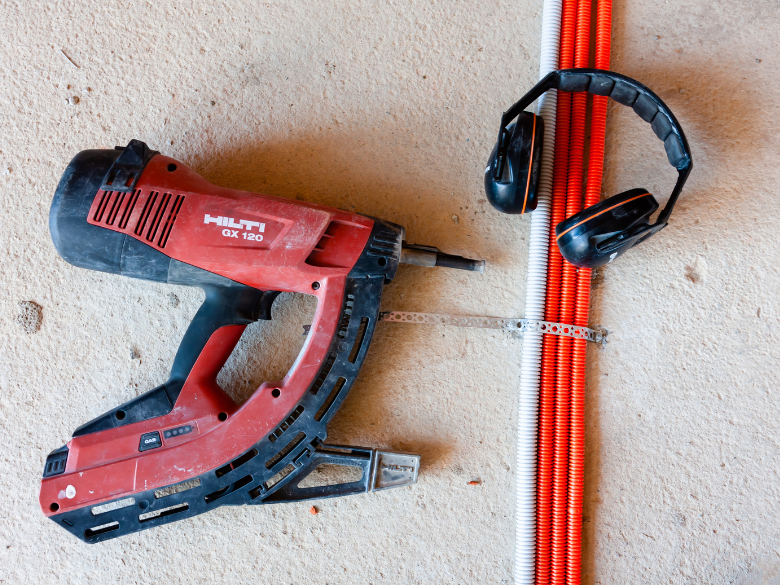
Nail guns are common tools on residential builds. Like any power tool, they can cause serious injuries if not used properly.
Most injuries happen when the gun goes off while being moved or ...
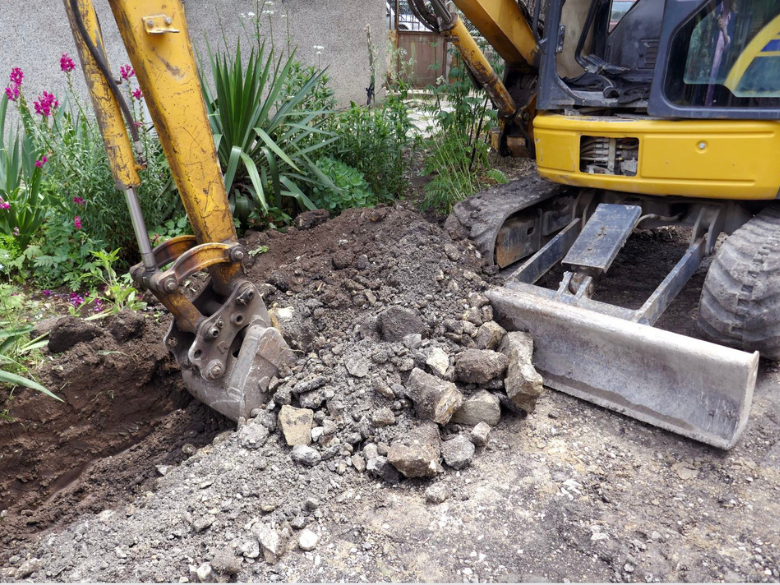
Excavation work means moving or removing soil, rock, or other materials with tools or machinery. You’ll come across it on most construction sites whether you’re building a new home, putting in...

Summer’s here. Are you ready for the heat?
Longer days and sunshine make it feel like the perfect time to crack into work. But while summer brings good vibes, it also brings its own set of ri...

Kick off the New Year safely on site
The holidays are done and dusted, and it’s time to ease back into work. Reopening your site is just as important as shutting it down properly and the New ...

The Christmas break is nearly here. You're probably counting down the days until you can relax and spend some proper time with the family and friends.
But before you lock up for the holiday...

The hidden danger on-site: Silica dust
Construction sites come with plenty of obvious hazards but some of the most dangerous ones are the ones you can’t see. One of those hidden risks is res...

Slips, trips, and falls, don’t let them take you down!
Slips and trips might seem harmless, but on-site, they’re one of the biggest causes of injuries. A bit of ground clutter, a wet floor,...

Got lone workers on your team? Here’s what you need to know
If someone on your team is working by themselves without other people around and without direct supervision, they’re likely conside...
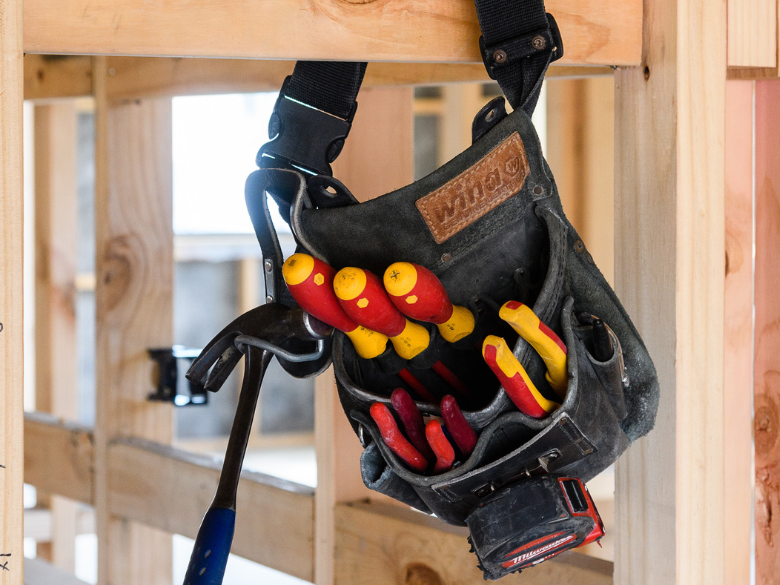
Take the Hassle Out of Toolbox Meetings
Toolbox meetings don’t need to be a paperwork mission. With the HazardCo App, you can run quick, focused chats straight from your phone – No prep, no p...
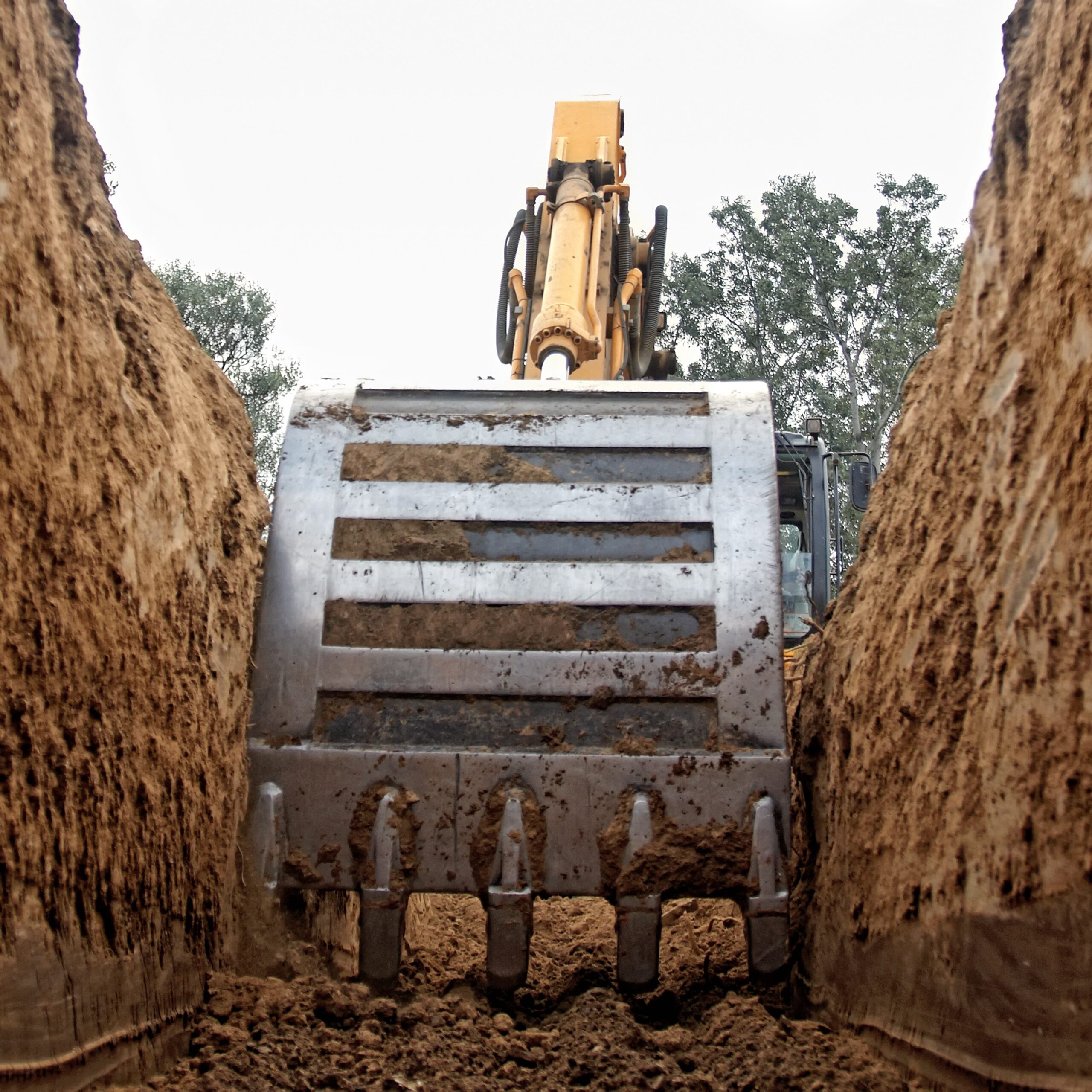
Working with heavy machinery and managing traffic on-site can be risky. But with the right checks and planning, we can keep everyone safe.
Daily machinery checks
Before starting work each da...

Operating Machinery
Working with heavy machinery can be dangerous. Incorrect use or untrained operators can lead to serious injuries or worse.
Training and Supervision
Machinery shou...

Digging into the ground might seem straightforward, but excavation work is actually one of the most dangerous parts of construction. That’s why it’s important to plan ahead and put the right s...